Crafting
The Crafting Admin panel is GM-only.
The Crafting menu groups the recipe-focused sections of the Crafting Admin panel. It is always available. Whenever a crafting system is selected, the panel’s left menu shows an expandable Crafting group, in the same style as the Gathering group.
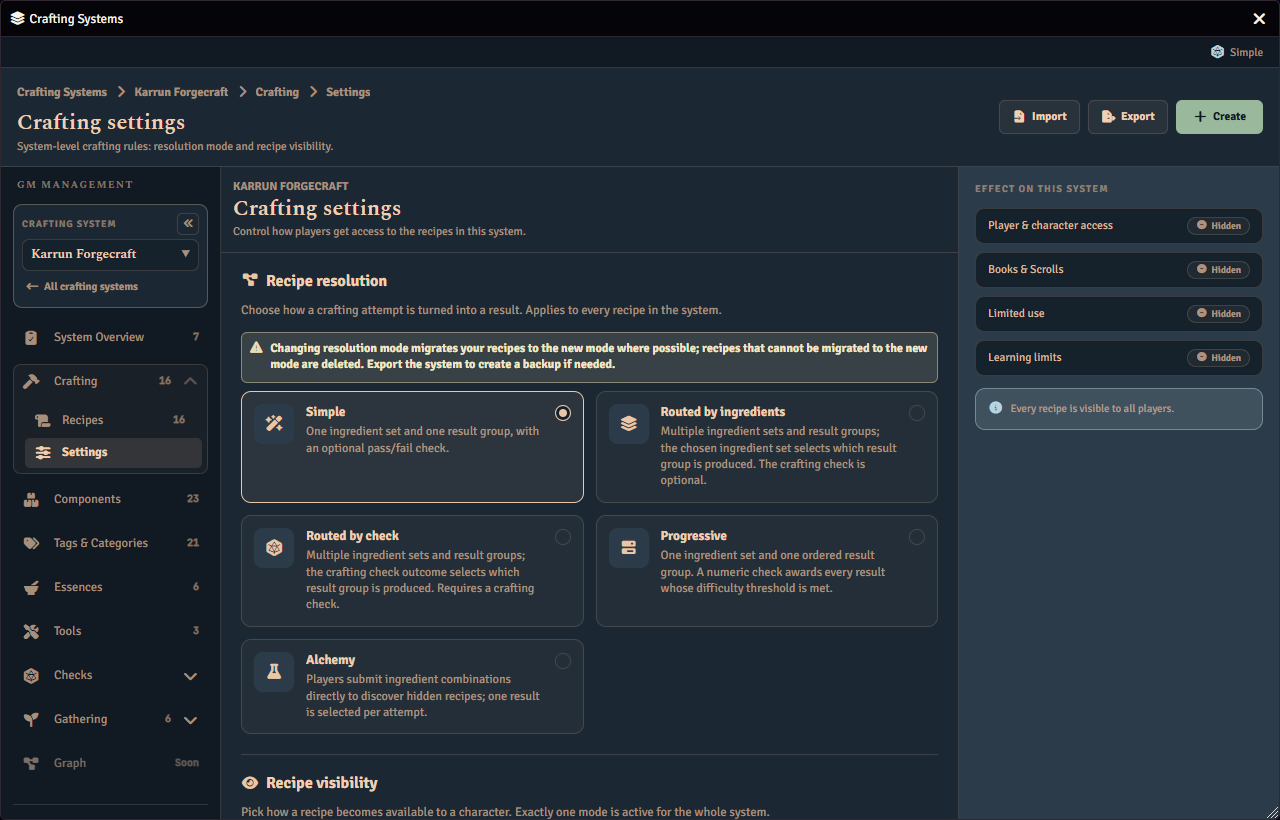
Expand it to reveal its sections. Settings and Recipes are always present, and the system’s visibility mode decides which of the other sections appear, with Knowledge also depending on the system’s resolution mode.
- Settings hosts the system-level crafting rules: the recipe resolution mode, the salvage resolution mode, and the Recipe Visibility card. These cards used to live on the System settings page and moved here. They are reachable for every crafting system.
- Recipes is the existing recipe browser and editor.
- Access appears only in Restricted visibility mode. It is where you grant individual recipes to specific characters and players. See Restricted Mode.
- Books & Scrolls appears only in Item and Knowledge visibility modes. It lists every recipe item in the system with its linked recipes and each item’s own use and learn caps. Open a recipe item to set that item’s caps and its recipe list on its own page. See Books & Scrolls.
- Knowledge appears whenever Books & Scrolls does, and also for a system whose recipe resolution mode is Alchemy, even in a visibility mode that would not otherwise show Books & Scrolls. It audits and corrects what each character actually carries and has learned, separately from the recipe items and access grants themselves. See Knowledge.
If you are on Access, Books & Scrolls, or Knowledge and a visibility mode change or a crafting system switch removes that section, Fabricate automatically takes you to another section instead of leaving you on one with no way back. See Visibility Modes for the order it tries.