Shopping List
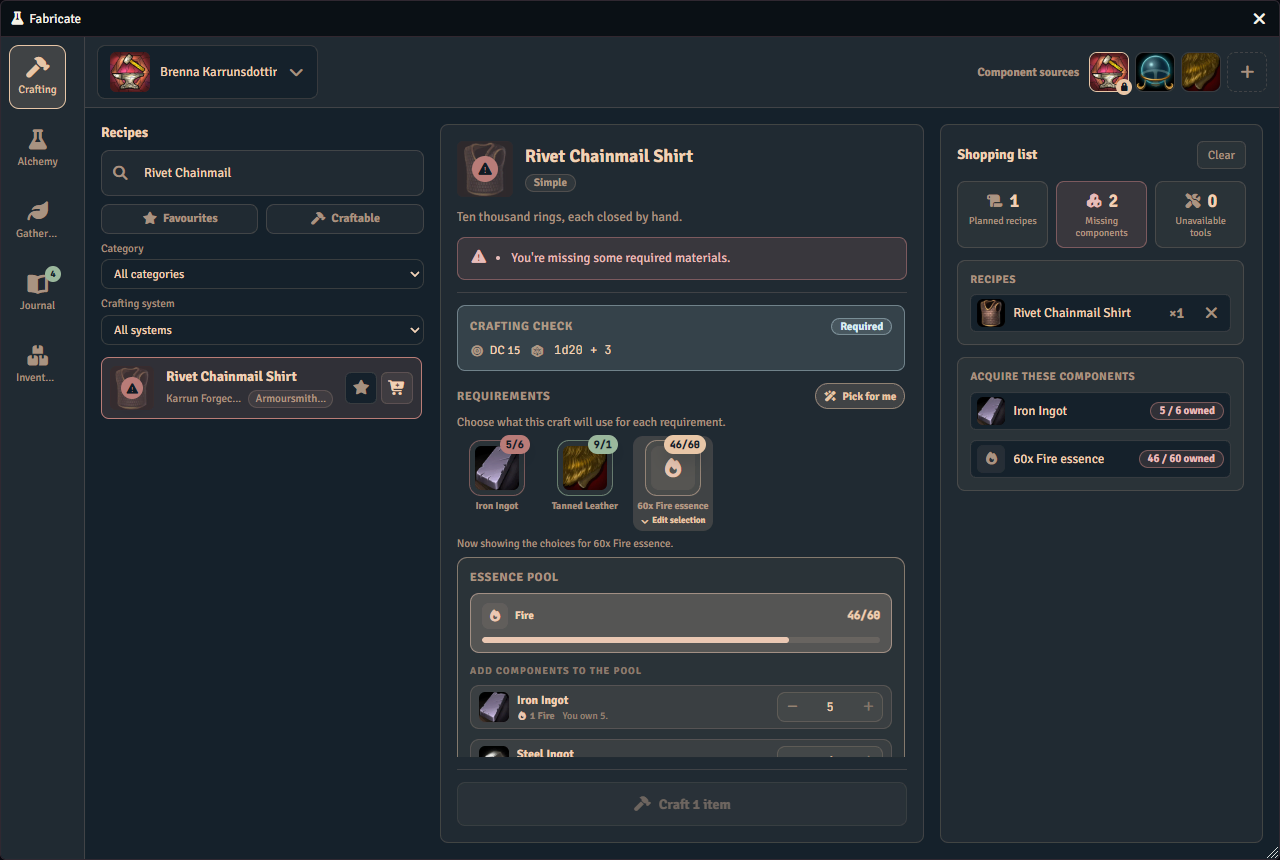
The shopping list is a planning tool in the Crafting tab. Add recipes, set how many times you want to craft each one, and see a single consolidated list of every material you still need. The list shows what you already have, what you still need, and how much is missing.
It sits in the right-hand column of the Crafting tab and is the default view there when you are not looking at a finished run.
Using the shopping list
- Add a recipe to the list from its card with Add to shopping list.
- Left-click a queued recipe row to add another craft of it, and right-click to remove one.
- Use the × on a row to drop that recipe from the list.
- Clear the whole list with Clear shopping list.
The list shows three summary cards at the top, for the recipes you have queued, the components you are still missing, and the tools you cannot yet use. Below them it lists the components and essences you still need to acquire, and the tools you need to acquire or repair. Components you already own in full drop off the list, so only shortfalls remain. A tool that an active tool station supplies is not listed to acquire, and it returns once that station is no longer active. Each missing component or essence ends in a solid chip, which states how many you own against how many you need wherever Fabricate can count it.
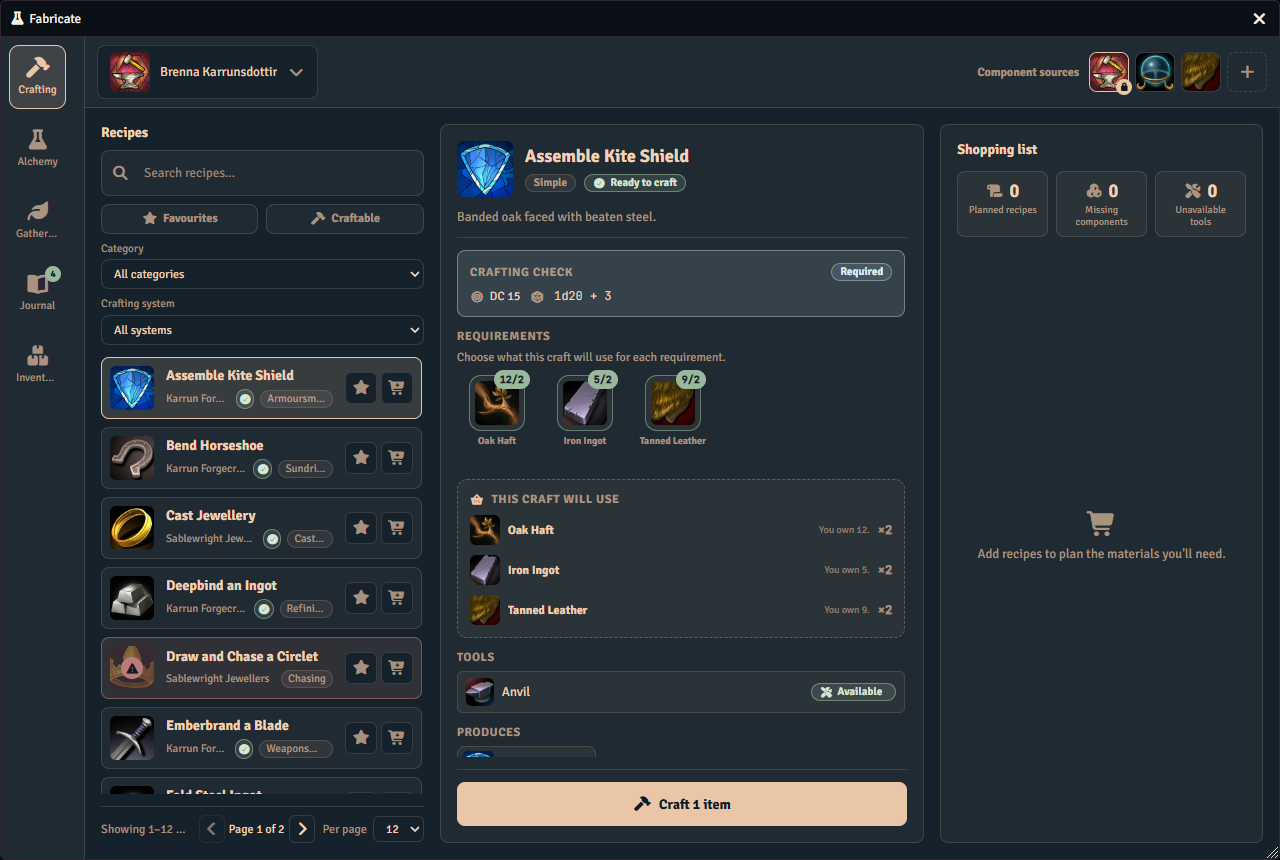
Queueing a recipe you can already make still adds it to the list. Planned recipes goes up, the recipe joins the queue, and Clear shopping list appears, exactly as for a recipe you cannot yet afford. Only the components and tools to acquire stay empty, because there is nothing left to find.
What a craft will consume is not something the list answers. The centre column spells that out for the selected recipe on its own, whether or not the recipe is queued and whether or not you own the materials.
The shopping list is scratch planning. It clears when you close the Crafting window.
Currency costs
A currency cost follows the same rule as any other material: an affordable one never appears on the list. Only a cost you cannot pay, or one Fabricate cannot check, shows up here.
- A cost you cannot currently afford shows a Can’t afford chip and counts toward the missing components total, the same as a missing item.
- A cost the world’s currency setup cannot price shows a Setup needed chip in a warning colour, and does not count toward that total. It is not something you can go and acquire. See Checking your currency setup to fix it.
- A cost queued for more than one craft shows a ×N chip in place of an affordability chip. Fabricate only ever checks whether you can afford a single craft, so it cannot tell you whether you can afford N of them, and shows the multiplier instead of guessing.
See Also
- Recipes covers current recipe authoring and API crafting.
- Visibility & Knowledge lets you control which recipes are visible to which players.
- Tools lets you configure the reusable, breakable tools that appear in the Required Tools section.