Degrading Tools
Problem
How do I make a Tool or workstation wear out and eventually break after repeated crafting use?
Short answer
Create the Tool in the system’s Tools library, choose Limited uses, set Maximum uses, and select an On-break action. Then add the saved Tool from the recipe’s Tools tab.
Steps
- Open the Crafting System Manager and select the crafting system.
- Open Tools.
- Drop a world or compendium Item onto the creation area.
- Choose Create from Item to open the Tool editor.
- Open Breakage and choose Limited uses.
- Set Maximum uses to the number of tracked uses the Tool allows before it breaks.
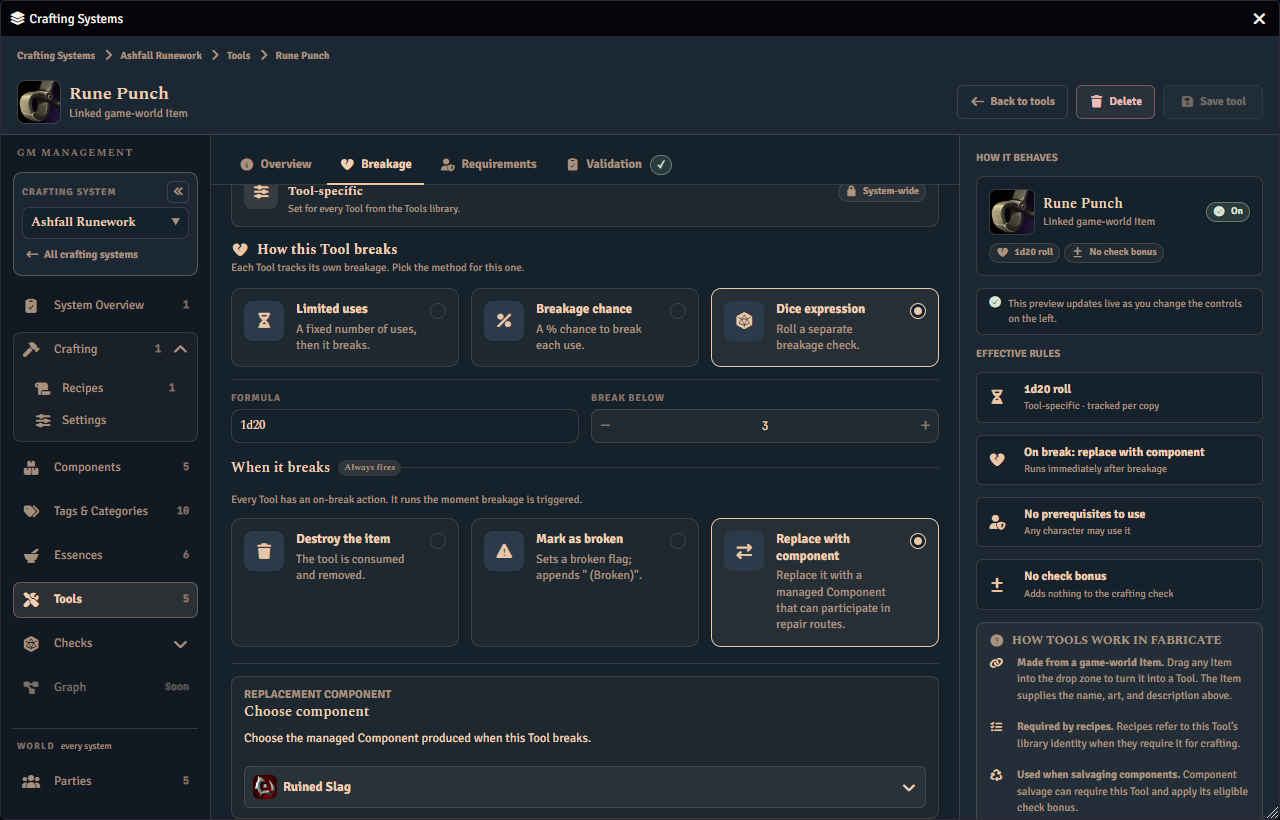
- Choose Destroy the item, Mark as broken, or Replace with component.
- For Replace with component, choose the managed Component awarded when the Tool breaks.
- Open Validation and resolve every issue.
- Choose Save changes.
- Edit the recipe and open its Tools tab.
- Add the Tool at the recipe, step, or ingredient-set scope where it is required.
How usage is tracked
A Limited uses Tool stores its use count on the owned Item. Crafting, salvage, and gathering attempts can all count as tracked uses. Failed crafting or salvage attempts count when their Break tools on a failed check policy allows Tool breakage. The count increases before Fabricate checks the maximum. A maximum of 5 therefore breaks the Tool on its fifth tracked use.
Leave Maximum uses blank for unlimited use with tracking.
Damaged and repairable Tools
Replace with component is useful when a damaged variant should become a crafting ingredient. Choose a managed Component as the replacement, then create a separate repair recipe that consumes that Component and awards the working Tool Item.
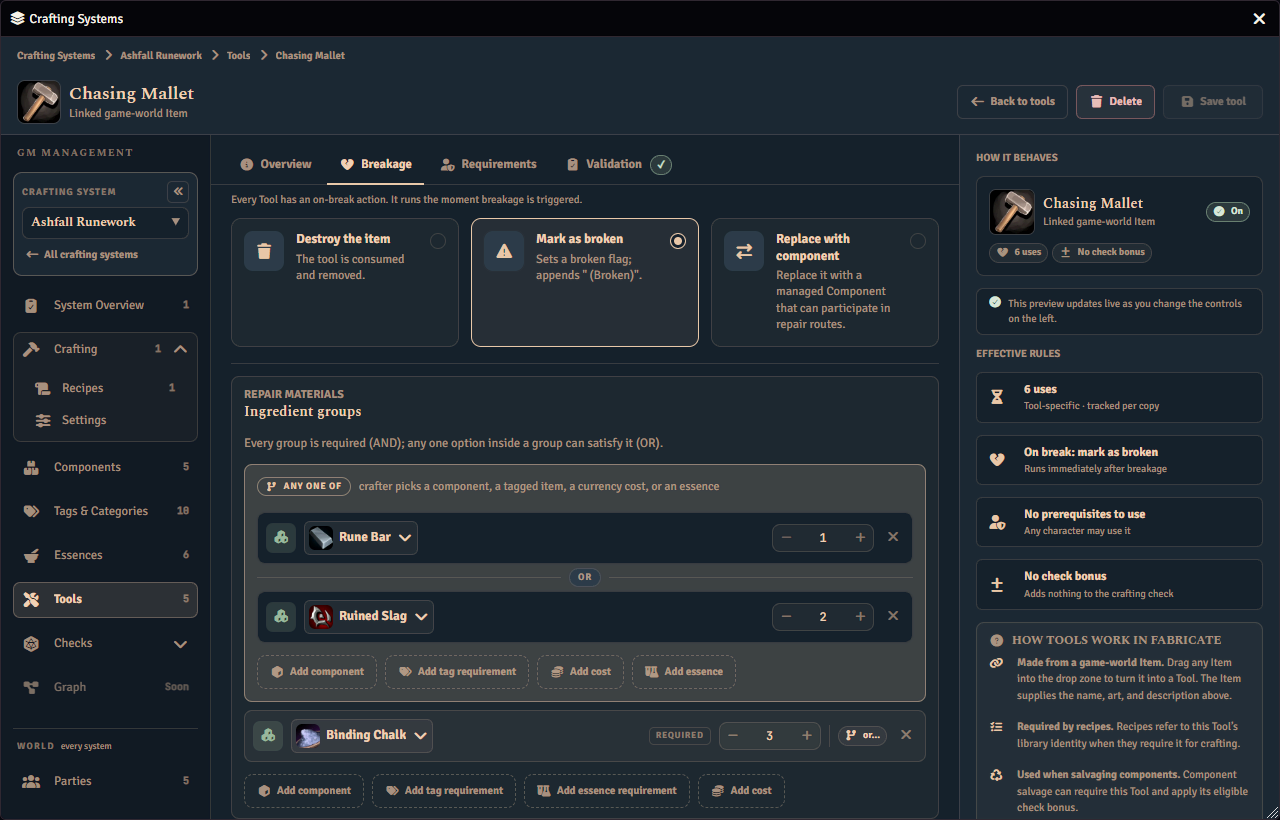
Mark as broken can store Repair materials made from Components, tags, essences, and currency. The editor saves and validates those materials, but repair execution is planned and is not yet available.
If a replacement cannot be resolved or created, Fabricate keeps the original Tool.
Learn more
- Tools. Learn about Tool sources, prerequisites, bonuses, breakage authority, and validation.
- Breakable Gathering Tools. Use the same Tool in a gathering task.