Player App
Everything in this section describes the window your players use, rather than the GM’s Crafting System Manager.
Players conduct the whole loop in a single Fabricate window, opened from the Crafting action in the Items Directory. The window carries one tab per activity, and a tab is only offered when at least one crafting system the player can see enables it. Each tab is a labelled icon in the window’s left rail, and the Journal icon carries a count of the selected character’s active runs on its corner. The selected item, recipe, environment, or run leads with a header naming it beside its picture, and that header holds the main action, such as Craft, Attempt, or Salvage, when one is available.
| Tab | What players do there | Reference |
|---|---|---|
| Crafting | Browse recipes, pick an actor and component sources, roll the crafting check, and craft. | Recipes, Checks |
| Alchemy | Submit a combination of items and let Fabricate match it against known recipe signatures. | Alchemy Mode |
| Gathering | Choose an environment and task, then follow its run through collection in the Journal. | Player Gathering |
| Inventory | Inspect owned items, learn recipes from books and scrolls, and salvage components. | Salvage, Knowledge |
| Journal | Continue crafting, alchemy, and gathering runs, pause eligible waits, and browse or dismiss finished history alongside salvage. | Journal |
A Shopping List sits alongside the Crafting tab, so a player can queue several recipes and see one consolidated list of what they still need. See Shopping List.
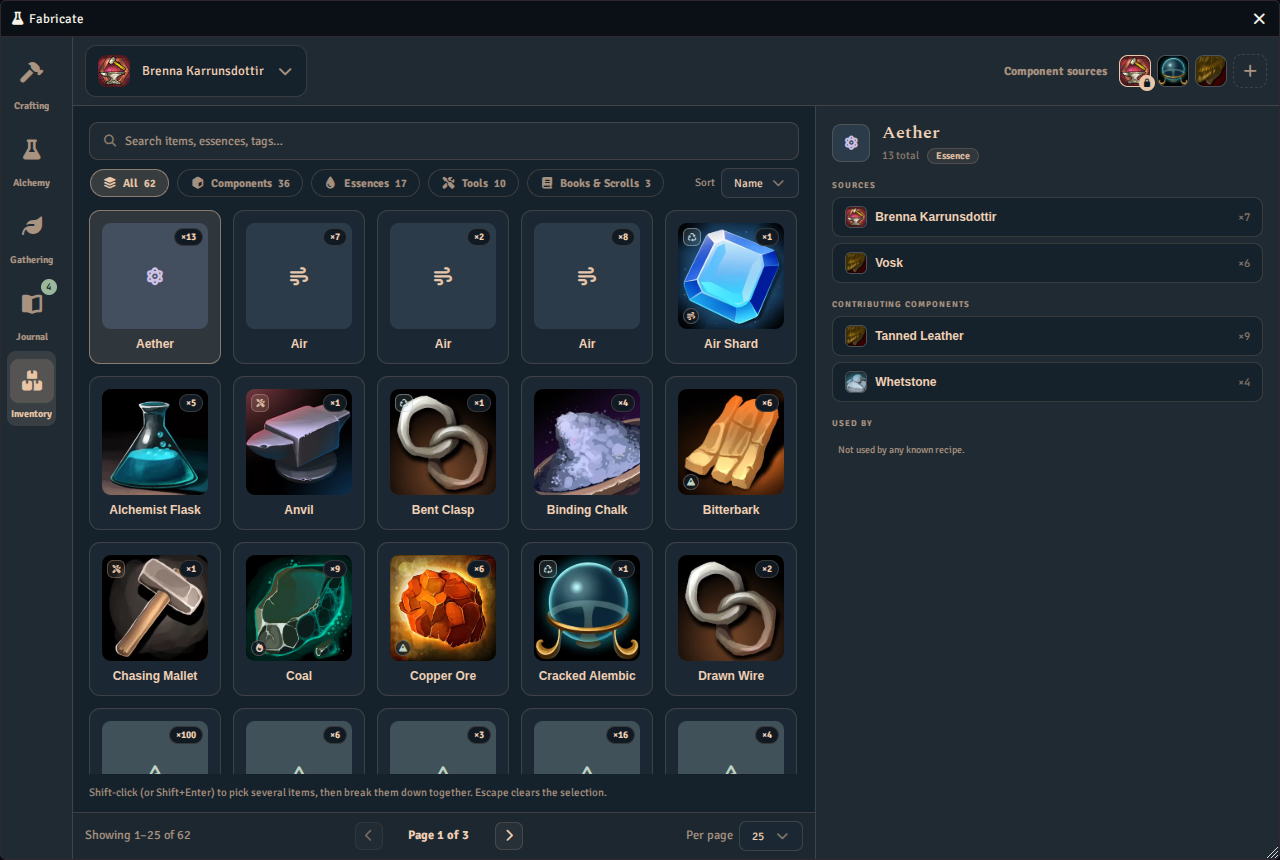
The Inventory tab lists everything the selected character carries, with filters across the top and the selected item’s sources beside the grid.
Results in chat
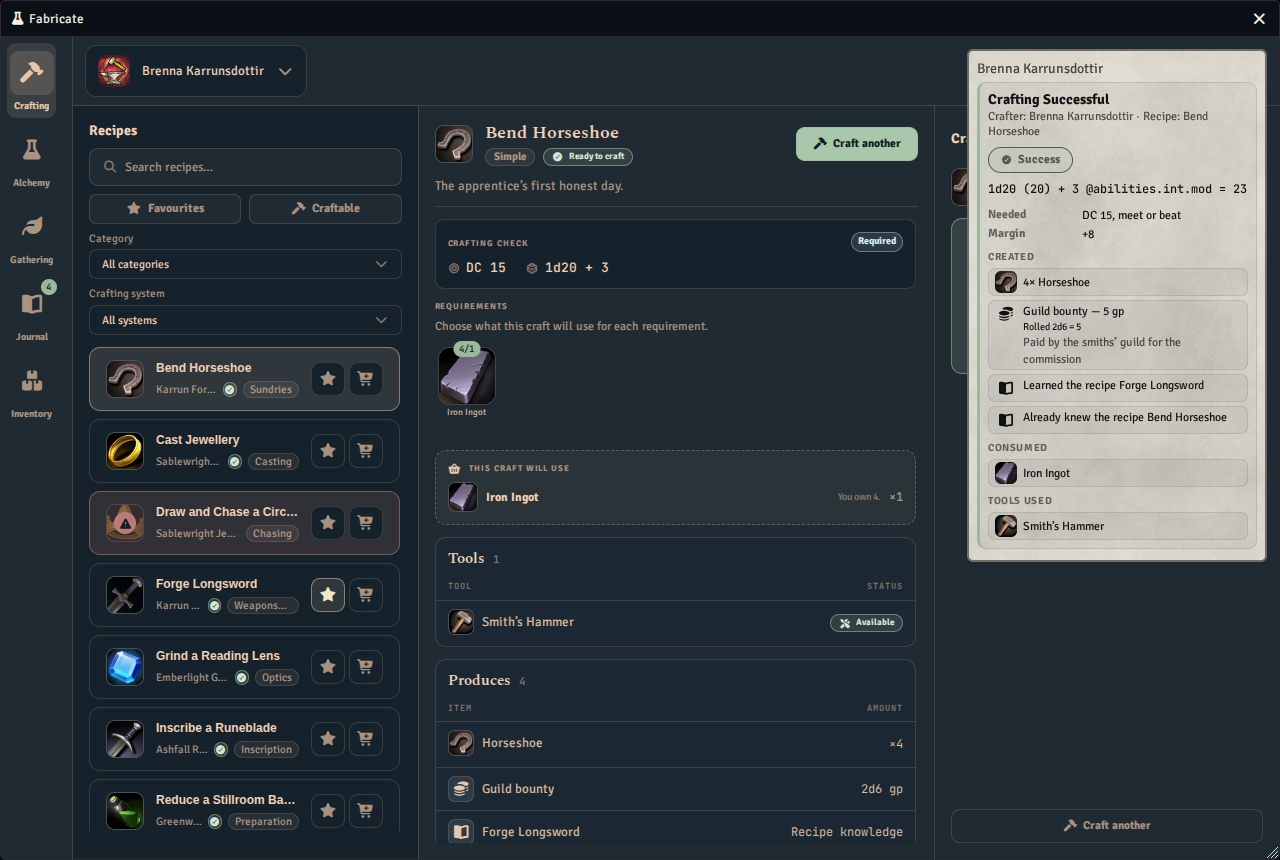
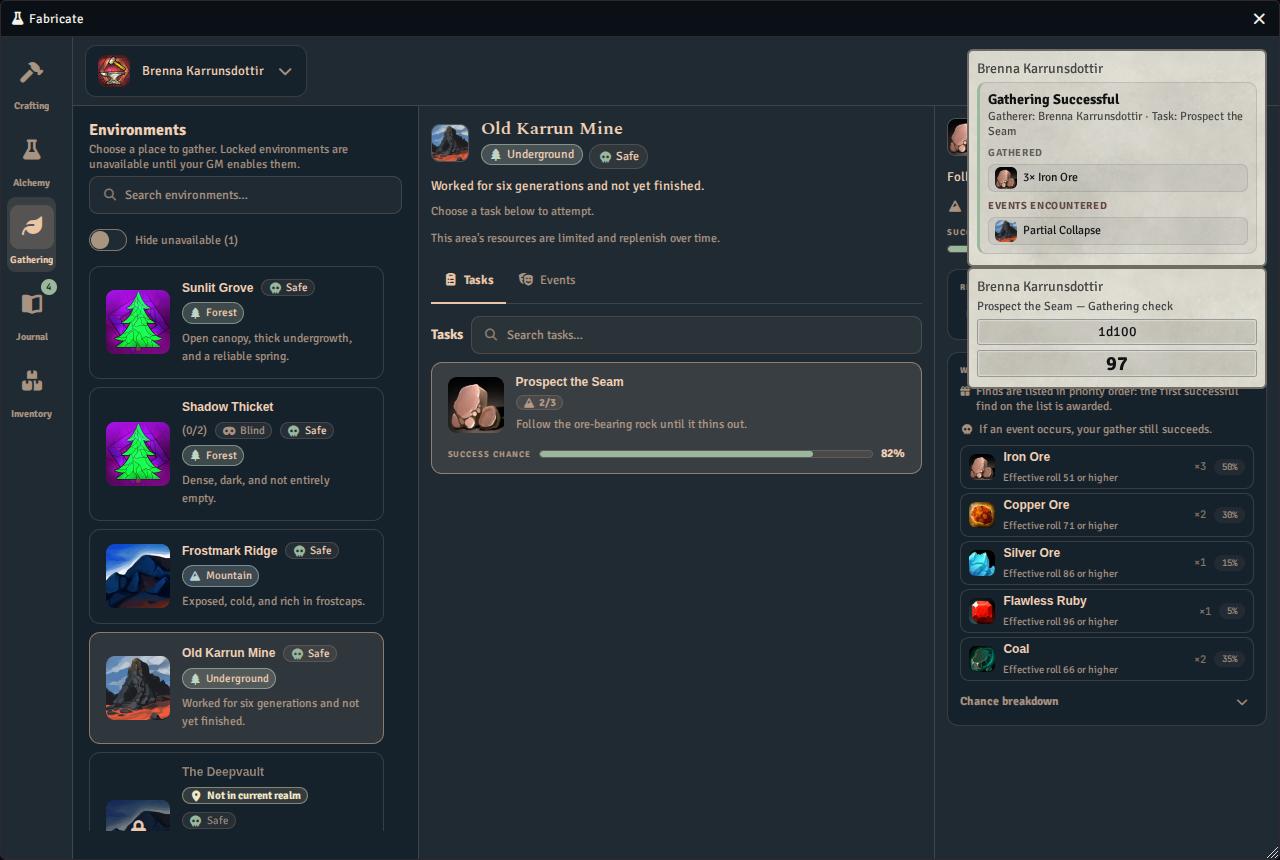
A finished craft or gather posts a result card to the chat log, naming the roll, what was created or found, and what was consumed.
Which recipes a player sees in the Crafting tab is decided by the system’s visibility mode. See Settings for the modes, and Access for per-recipe grants.
New crafting and gathering runs default to manual completion when ready. The Journal explains eligible automatic completion, cancellation, GM run authority, and recovery. Older runs and salvage retain their existing behavior.