Downtime Preview
GMs can choose World > Downtime in the Crafting System Manager to explore Fabricate’s downtime preview. The preview is always available beside World > Parties, even when no crafting system is selected.
The Fabricate Core preview is read-only. It does not create or change downtime activities, campaign records, party roles, rewards, world time, actor data, or settings.
Exploring the preview
Use the Tracking, Activities, Factions, and Settings tabs to explore the four parts of the preview. Each tab describes a possible Fabricate Premium workflow and shows a compact example board. The Subscribe on Patreon & download Fabricate Premium button opens Fabricate’s Patreon page in a new browser tab.
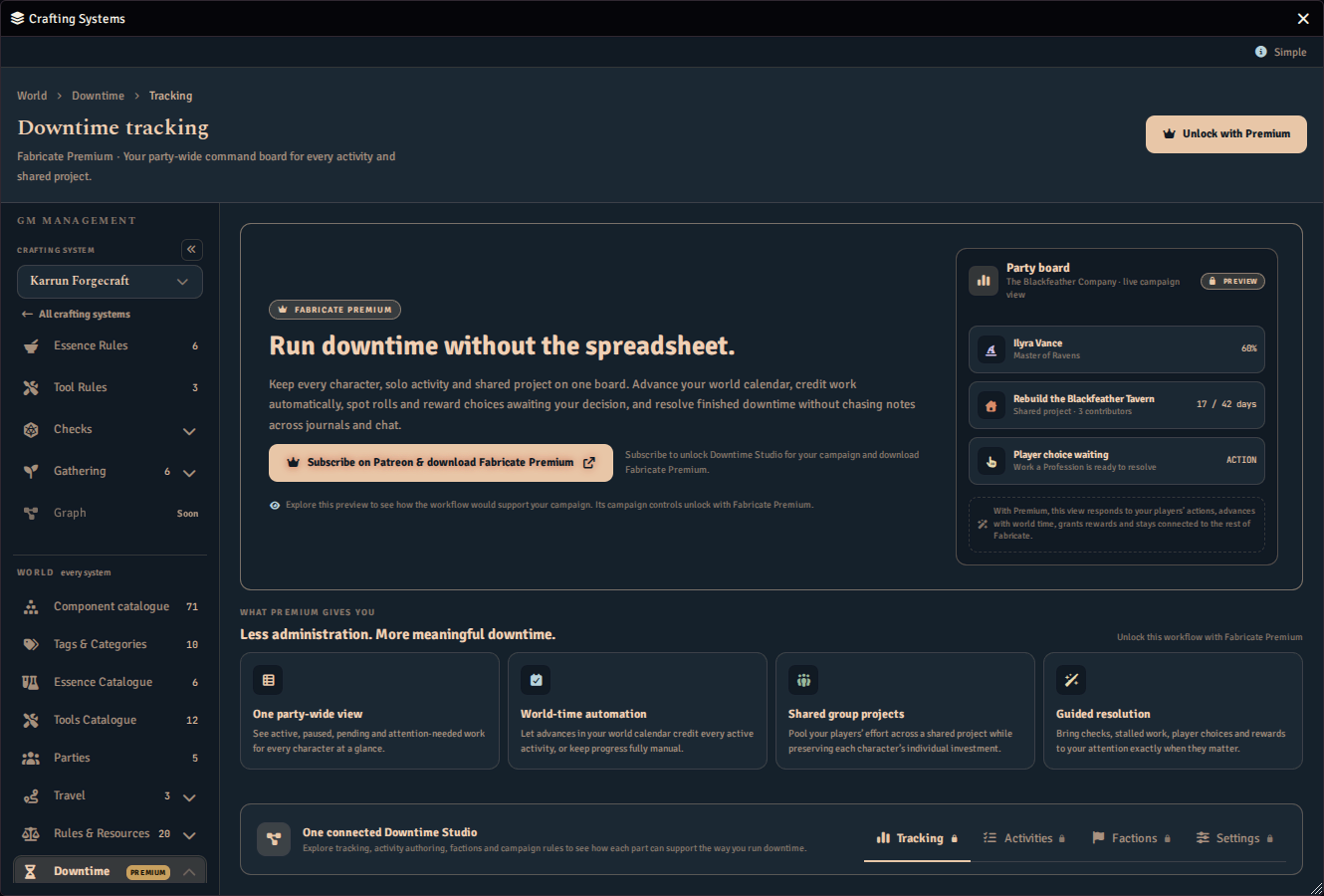
Each tab carries a padlock after its name, marking it as a Fabricate Premium feature. The padlock does not stop you opening the tab. Hover over a tab or focus it with the keyboard to see a short description of it above the tab. Press Escape to hide the description.
The preview remains usable when the Manager window is narrow or its navigation rail is collapsed. When the window is narrow, the tabs wrap onto more than one row and keep their names.
Installed companion extensions
An installed companion module can replace the Core preview with its own downtime workspace. When that happens, the companion owns the available actions and data. Consult that companion’s documentation for its setup and use.
While a companion workspace is active, the navigation rail stays expanded on this page so its sections stay reachable, and its collapse button is disabled with an explanation. Your usual collapse preference is left untouched and returns as soon as you leave the page.